CueFlow PC Agent — Auto Lock, Session Warning & Wake-on-LAN
For PC gaming cafes and esports lounges: lock the station when time ends, warn players five minutes early, hibernate idle PCs to save electricity, and wake them over LAN with a magic packet from the Counter PC. Manual lock and unlock included.
CueFlow TV for consoles. PC Agent for PCs.
Same CueFlow session timer — different control surface. HDMI overlay on the TV for PlayStation/Xbox; full Windows lock and power control for gaming PCs.
CueFlow TV
PlayStation / Xbox / any HDMI console on a club TV
- HDMI overlay on the TV
- Top-left countdown warning
- Session-ended overlay when time ends
CueFlow PC Agent
Windows gaming cafe / esports PC stations
- Full-screen auto lock on the PC
- 5-minute on-PC session warning
- Hibernate + Wake-on-LAN from Counter PC
Everything PC Agent Does on the Floor
Built for gaming cafes that need session control and power savings — not just a timer on a spreadsheet.
Auto lock PC screen
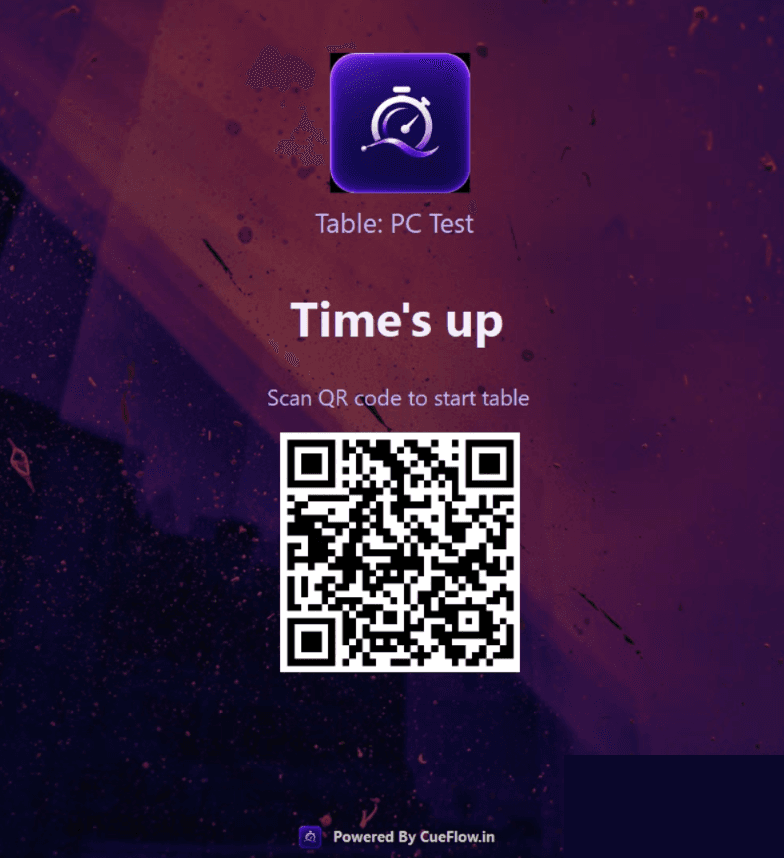
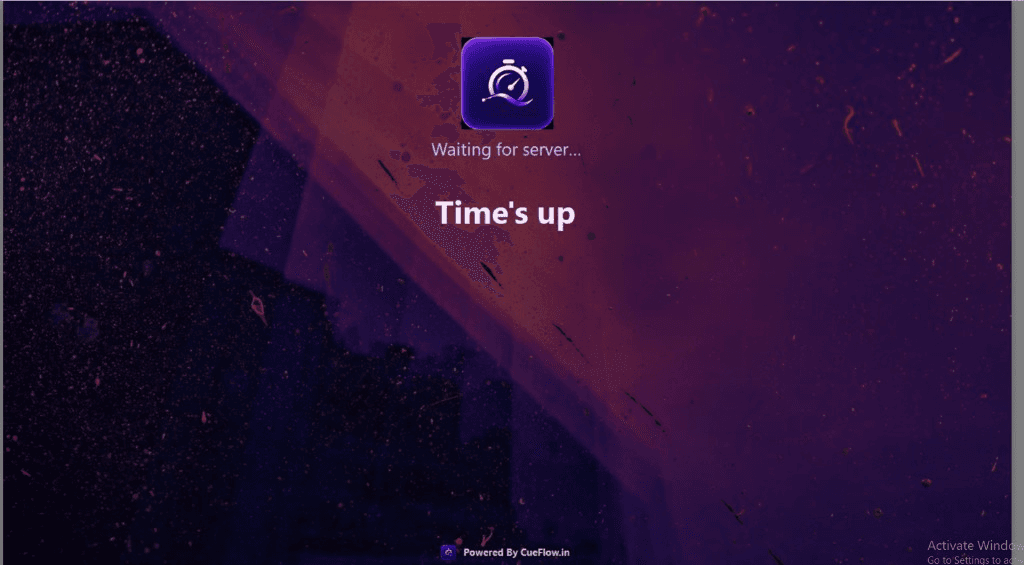
When a PC-themed table session ends, CueFlow PC Agent locks the gaming PC with a branded Time's up screen and QR so the next customer can start cleanly.
Session end warning (5 min)
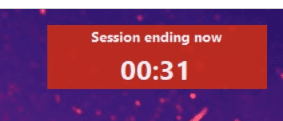
About five minutes before lock, players see a clear on-PC countdown warning so they can wrap up without surprise cutoffs or front-desk arguments.
Idle hibernate
Unused gaming PCs can hibernate automatically to cut electricity cost while the cafe is quiet — without staff walking bay-to-bay.
Wake over LAN (magic packet)
From the Counter PC, CueFlow can send a Wake-on-LAN magic packet to bring hibernated gaming PCs back online when the next session starts.
Manual lock & unlock
Staff can lock or unlock any paired gaming PC from CueFlow when they need floor control outside the automatic timer flow.
Lock Screen & Session Warning
What players see on the gaming PC — warning before lock, then a branded Time's up screen.
How to Set Up CueFlow PC Agent
Most cafes finish install and a test lock in one sitting.
- 1
Install CueFlow PC Agent on each gaming PC
Download the Windows setup from cueflow.in/downloads and install CueFlow PC Agent on every cafe PC that should lock with sessions.
- 2
Pair the PC with CueFlow
Open CueFlow at the counter, connect the PC Agent device to a PC-themed table, and confirm the station shows as online.
- 3
Start a session and watch the 5-minute warning
Start a timed PC session from CueFlow. Near the end, the gaming PC shows the session-ending warning countdown.
- 4
Auto lock, then unlock for the next player
When time ends, the PC locks with Time's up / QR. Start the next table session or unlock manually from CueFlow. Idle PCs can hibernate; wake them with a magic packet from the Counter PC.
CueFlow PC Agent — Frequently Asked Questions
What is CueFlow PC Agent?
CueFlow PC Agent is a Windows companion app for gaming cafe PCs. It auto-locks the PC when a CueFlow session ends, shows a ~5-minute session warning before lock, can hibernate idle PCs to save electricity, wakes them over LAN with a magic packet from the Counter PC, and supports manual lock/unlock from CueFlow.
How is CueFlow PC Agent different from CueFlow TV?
CueFlow TV shows an HDMI timer warning and session-ended overlay on a club TV for console/game sessions (PS/Xbox examples). CueFlow PC Agent controls Windows gaming PCs — full-screen lock, on-PC warning, hibernate, and Wake-on-LAN. Many lounges use both.
Does CueFlow PC Agent support Wake-on-LAN?
Yes. After idle hibernate, staff can wake gaming PCs over the LAN using a magic packet sent from the Counter PC through CueFlow, so bays come back online when the next session starts.
Can staff lock or unlock a PC manually?
Yes. Besides automatic lock when a session ends, staff can manually lock or unlock paired gaming PCs from CueFlow whenever the floor needs it.
Where do I download CueFlow PC Agent?
Download the Windows installer from https://cueflow.in/downloads (CueFlow PC Agent section). Pair each PC in CueFlow after install.